
See the business behind the orders.
Review sales, purchases, receipts and balances for the period you choose.
Explore the yearly plan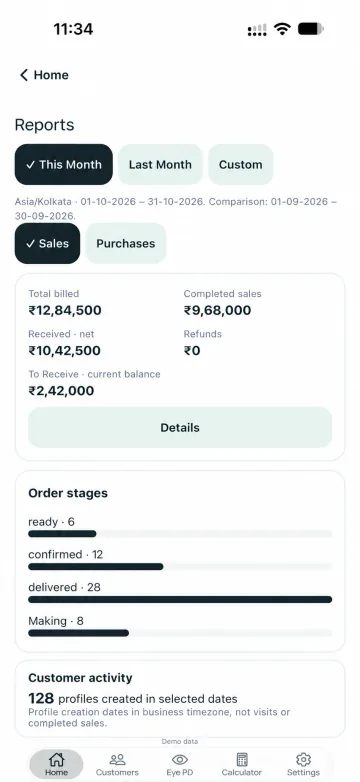
Choose the period.
Switch between Sales and Purchases. Review This Month, Last Month or Custom dates.
Read the balances together.
See billed amounts, net receipts and outstanding balances. Check the scope of the period and each report label.
Understand the work behind the totals.
Review order-stage summaries with your business activity. Ask the team about report-specific exports; bill PDF sharing is a separate action.
Are sales and purchases separate report views?
Yes. The shown Reports interface provides Sales and Purchases tabs.
Can I review a custom date range?
The report interface includes This Month, Last Month and Custom date controls.
Are Excel and CSV report exports confirmed?
No. Confirm report-specific export formats with the IPDI team. The customer order’s PDF-sharing action is a separate workflow.
Make room for
a clearer working day.
Tell us about your optical shop.
We’ll help you explore the upcoming release.